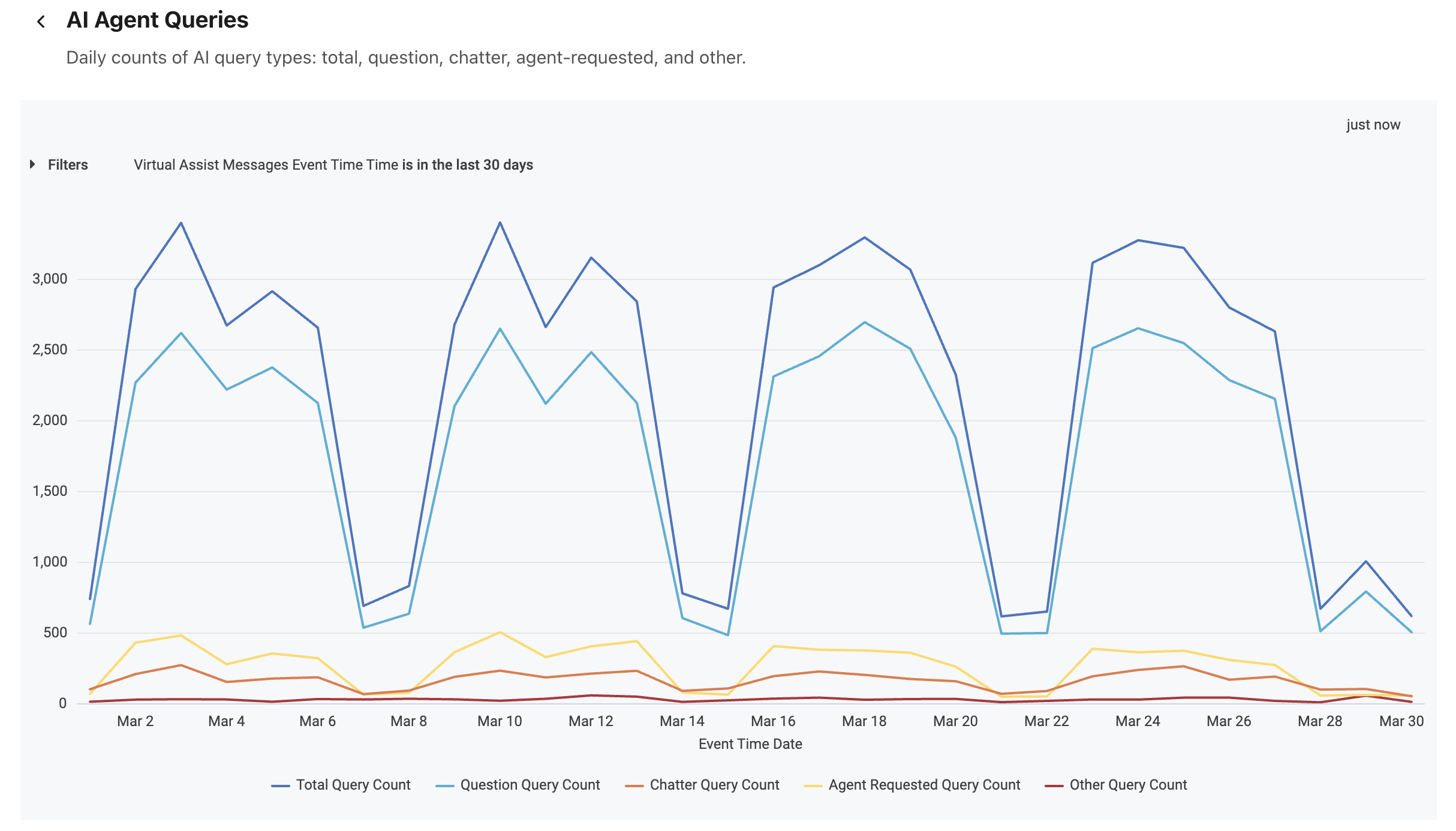
Dialpad's AI Agent Queries report provides insight into how people interact with your AI Agent across digital channels, grouped by query type. It summarizes the total number of questions asked and groups them by category, helping you understand how often customers and agents rely on AI, how much collaborative problem-solving occurs with AI in the loop, and where AI assistance is most in demand.
Let's get into the details of this report.
Who can use this
The AI Agent Queries report is available for Dialpad users with the Dialpad BI add-on who are Company Admins or have Analytics-specific permissions.
You'll also need to be on a Dialpad Support or Dialpad Sell plan.
Default Filters
This report contains a required filter that sets the time range:

Visualization Type
The AI Agent Queries report is a templated report displayed in a line chart format.
Select Settings (the gear icon) > Download to save your data to your computer, with multiple formatting and selection options.
Data Dictionary
This report contains unique Analytics definitions — read through the following table to learn more about the data in your report.
Total Query Count | Total number of questions |
Question Query Count | Total questions asked |
Chatter Query Count | Total collaborative questions |
Agent Requested Query Count | Total questions initiated by human agents |
Other Query Count | Total questions classified as harmful, irrelevant, abusive, or unknown |
Note
For more information on BI's datasets and notable concepts, be sure to review this Help Center article.