Dialpad's Agent Session Metrics report provides insight into how each agent—and your AI Agent—handles digital customer sessions, grouped at the agent level.
It surfaces key measures such as total digital session volume over time, average first response time, and average handle time to highlight speed and efficiency, plus AI-focused metrics, helping you evaluate performance, coaching opportunities, and the impact of AI assistance across your digital support team.
Let's get into the details of this report.
Who can use this
The Agent Session Metrics report is available for Dialpad users with the Dialpad BI add-on who are Company Admins or have Analytics-specific permissions.
You'll also need to be on a Dialpad Support or Dialpad Sell plan.
Default Filters
This report contains two default filters:
Digital Sessions Created Time (Required)
Digital Sessions Chat Type

Visualization Type
The Agent Session Metrics report is a templated report displayed in a table format.
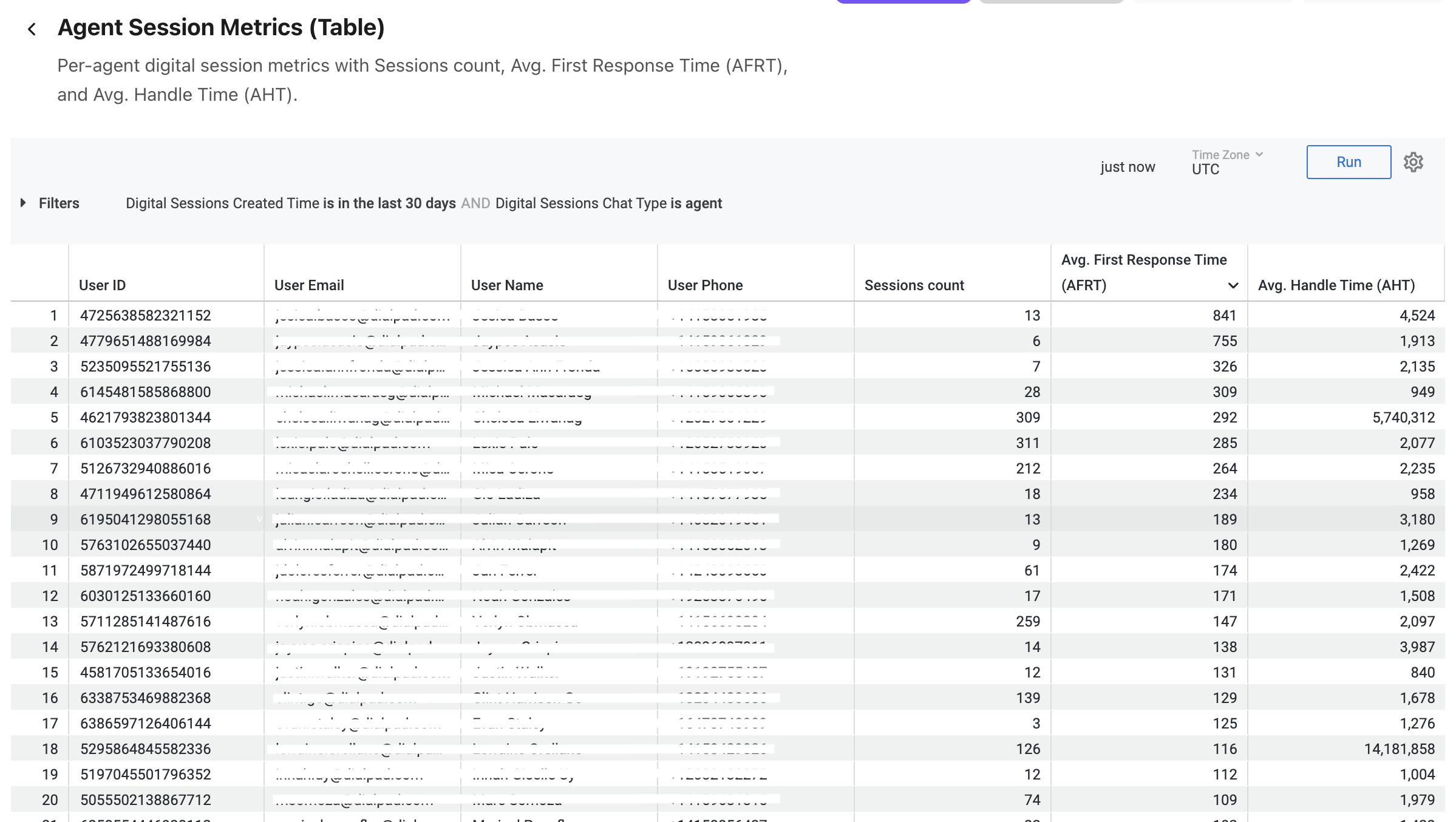
Select Settings (the gear icon) > Download to save your data to your computer, with multiple formatting and selection options.
Data Dictionary
This report contains unique Analytics definitions — read through the following table to learn more about the data in your report.
Agent Identity | Includes User ID, Email, Name, and Phone for precise tracking. |
Sessions Count | The total volume of digital sessions handled per agent over the last 30 days. |
Avg. First Response Time (AFRT) | Measures how quickly your team acknowledges a new digital request. |
Avg. Handle Time (AHT) | Total time spent per session (Used to identify coaching opportunities). |
Note
For more information on BI's datasets and notable concepts, be sure to review this Help Center article.