Dialpad's AI Agent Answer Feedback report provides insight into how well your AI Agent is responding to digital customer questions, grouped by feedback on each answer.
It highlights how many questions the AI Agent answered successfully, along with counts of thumbs-up and thumbs-down reactions, helping you quickly assess answer quality, identify where the AI is performing strongly, and pinpoint topics or scenarios that may need tuning or additional training.
Let's get into the details of this report.
Who can use this
The AI Agent Answer Feedback report is available for Dialpad users with the Dialpad BI add-on who are Company Admins or have Analytics-specific permissions.
You'll also need to be on a Dialpad Support or Dialpad Sell plan.
Default Filters
This report contains a required filter that sets the time range:

Visualization Type
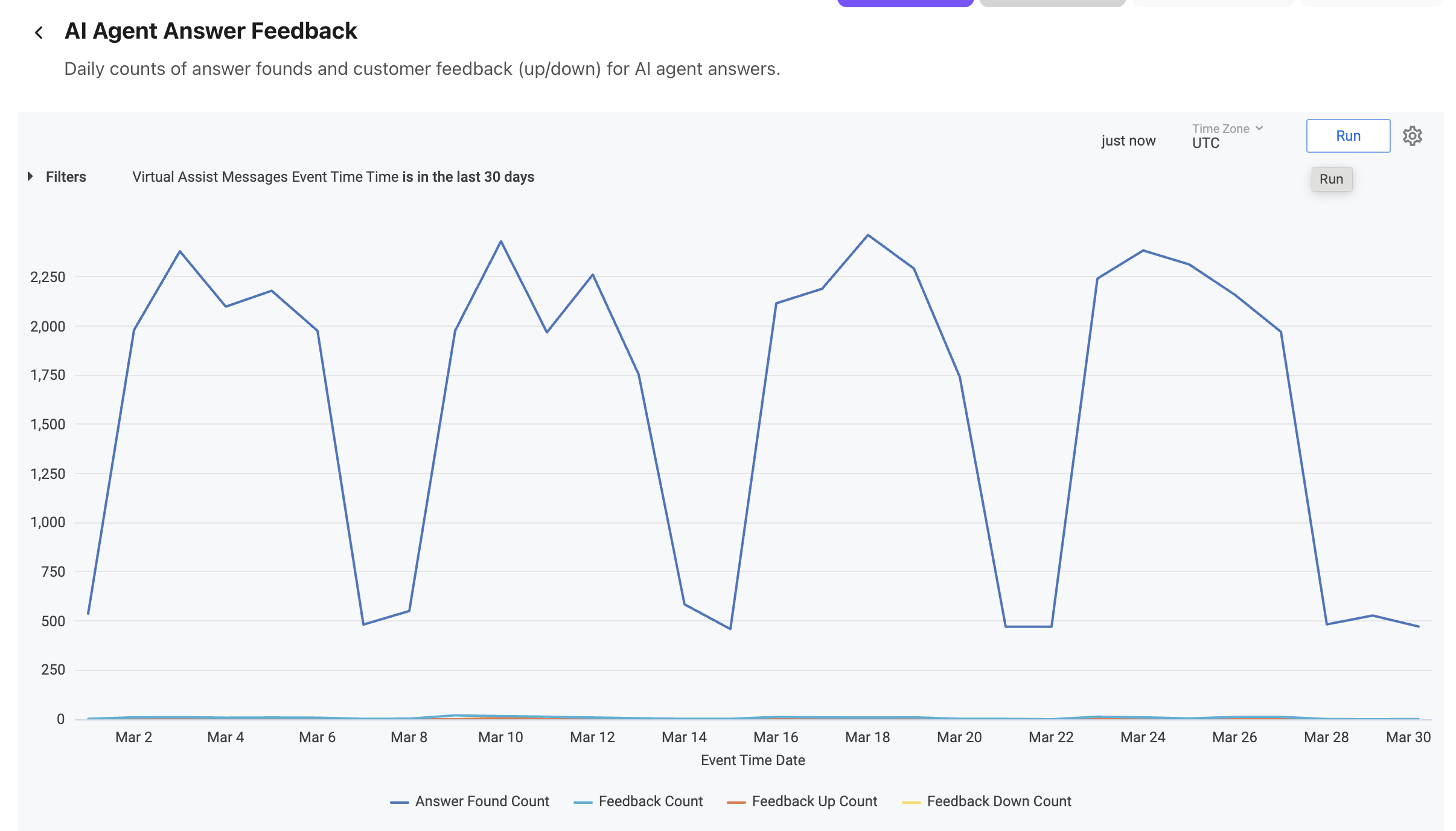
The AI Agent Answer Feedback report is a templated report displayed in a line chart format.
Select Settings (the gear icon) > Download to save your data to your computer, with multiple formatting and selection options.
Data Dictionary
This report contains unique Analytics definitions — read through the following table to learn more about the data in your report.
Answer Found Count | For the total number of questions, how many were answered by the AI Agent |
Feedback Count | Total feedback (thumbs up or down) for sessions |
Feedback Up Count | Total thumbs up for sessions |
Feedback Down Count | Total thumbs down for sessions |
Note
For more information on BI's datasets and notable concepts, be sure to review this Help Center article.