Billing Summary in Dialpad Admin Settings lets you review current billing, invoice history, charges, payment details, and invoices. You can open or download invoice PDFs, add notes, update credit card information or billing contacts, and review plan, license, add-on, tax, fee, and credit details.
We know how important it is to keep your accounts in order. From the Billing Summary, you can review your current billing details, view past invoices, save invoice PDFs, add notes, and update your payment information.
Let's dive into the details.
Access your Billing Summary
To access your Billing Summary, go to your Dialpad Admin Settings.
Select Billing
-
Select Billing Summary
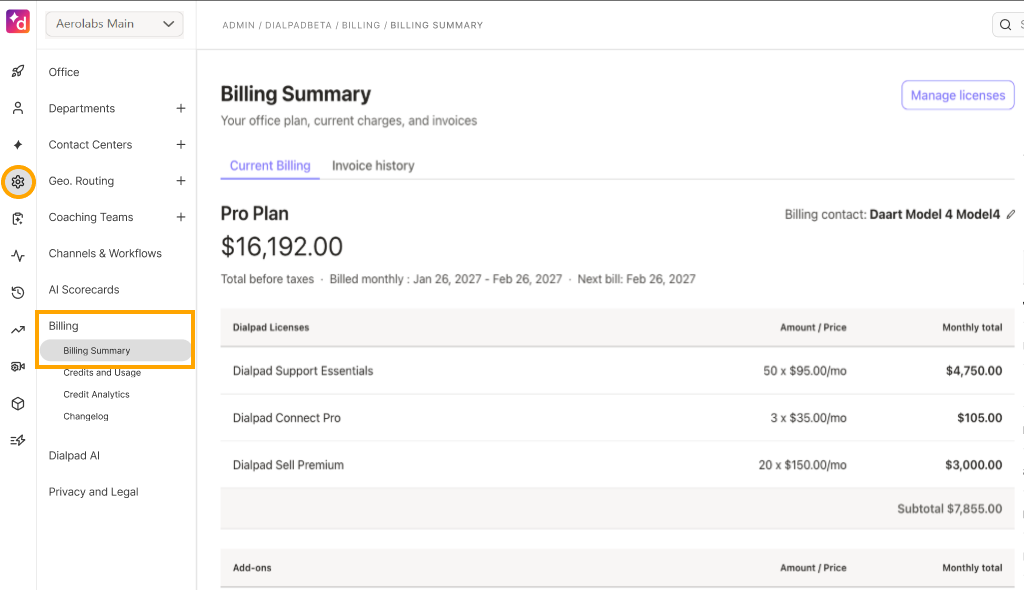
You'll see two tabs:
Current Billing: View your current plan, billing period, next bill, licenses, add-ons, promotions, and payment details.
Invoice History: View current and past invoices, open an invoice, save a PDF, or add a note.
View Invoice History
The Invoice History tab displays your current and past bills.
To see your past invoices, go to your Dialpad Admin Settings.
Select Billing > Billing Summary
-
Navigate to Invoice History
.png)
Your Invoice History displays the following details:
Invoice date
Invoice amount
Status (paid or owing)
Invoice description
Notes
Select an invoice date to open the invoice and review its details.
View term invoice
If your company is billed under contract terms, your invoices are generated through NetSuite. The invoice PDF is the official record of your charges.
To view or save a term invoice, go to your Dialpad Admin Settings.
Select Billing > Billing Summary
Navigate to Invoice History
Select the invoice date you want to review
-
You can choose to:
- View summary
- View details
- Download PDF
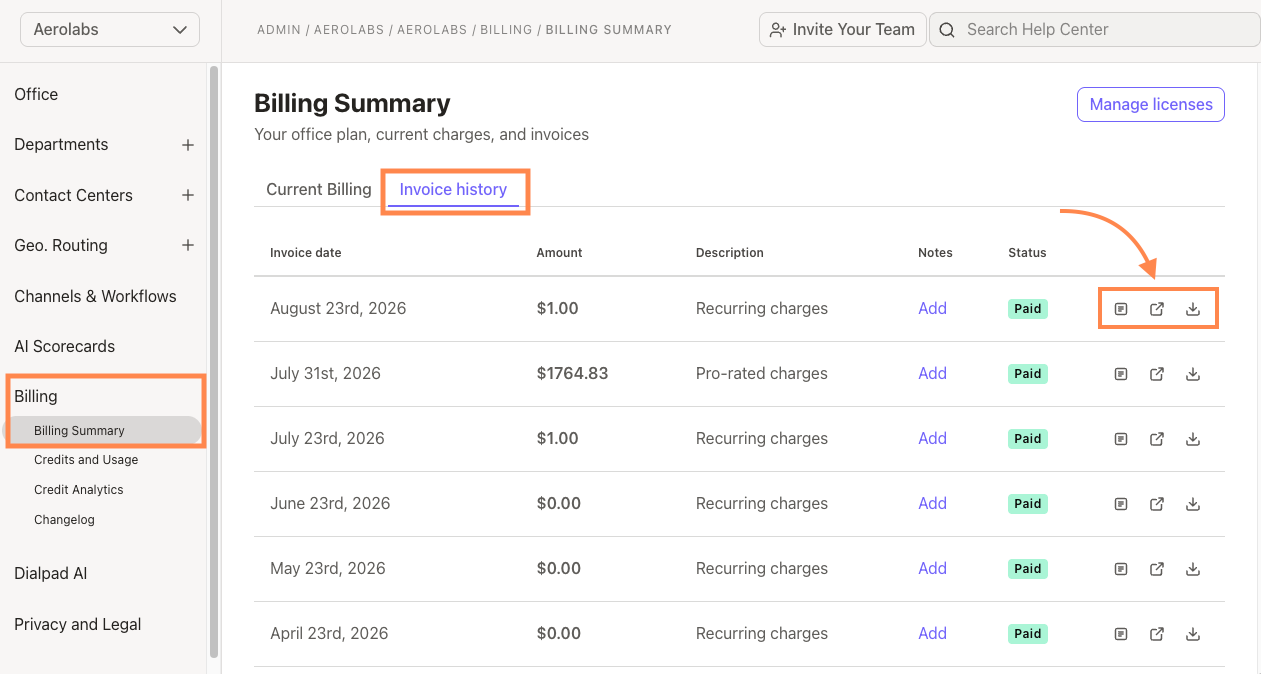
Your invoice can include account charges, adjustments or credits, taxes and fees, and changes to the number of lines during the billing period.
Note
If your company has multiple offices, you may need company-level access to download an invoice PDF. A single-term invoice can include charges from multiple offices.
View credit card invoice
Credit card invoices use a summary-first layout to help you quickly understand your charges.
To view a credit card invoice, go to your Dialpad Admin Settings.
Select Billing > Billing Summary
Navigate to Invoice History
Select the invoice you want to review
-
You can choose to:
- View summary
- View details
- Download PDF
Your credit card invoice includes the following sections:
Billing summary
The billing summary gives you an overview of the amount due, including:
Total Balance Due: The total amount currently due.
Due Date: The date your payment is due.
Credits Applied: Any credits applied to the invoice.
Total Tax: The total tax charged.
User licenses
Review the number and type of user licenses included on your invoice.
Add-ons
Add-ons appear under the user license they're associated with, making it easier to see which additional services belong to each license.
Other services and credits
This section includes services, adjustments, and credits that aren't associated with a specific user license.
Note
The updated invoice layout only applies to newly generated credit card invoices. Older invoices keep their previous format.
Add a note to an invoice
Add a note to include billing information that's visible to both your company and Dialpad.
Go to Dialpad Admin Settings
Select Billing > Billing Summary
Navigate to Invoice History
-
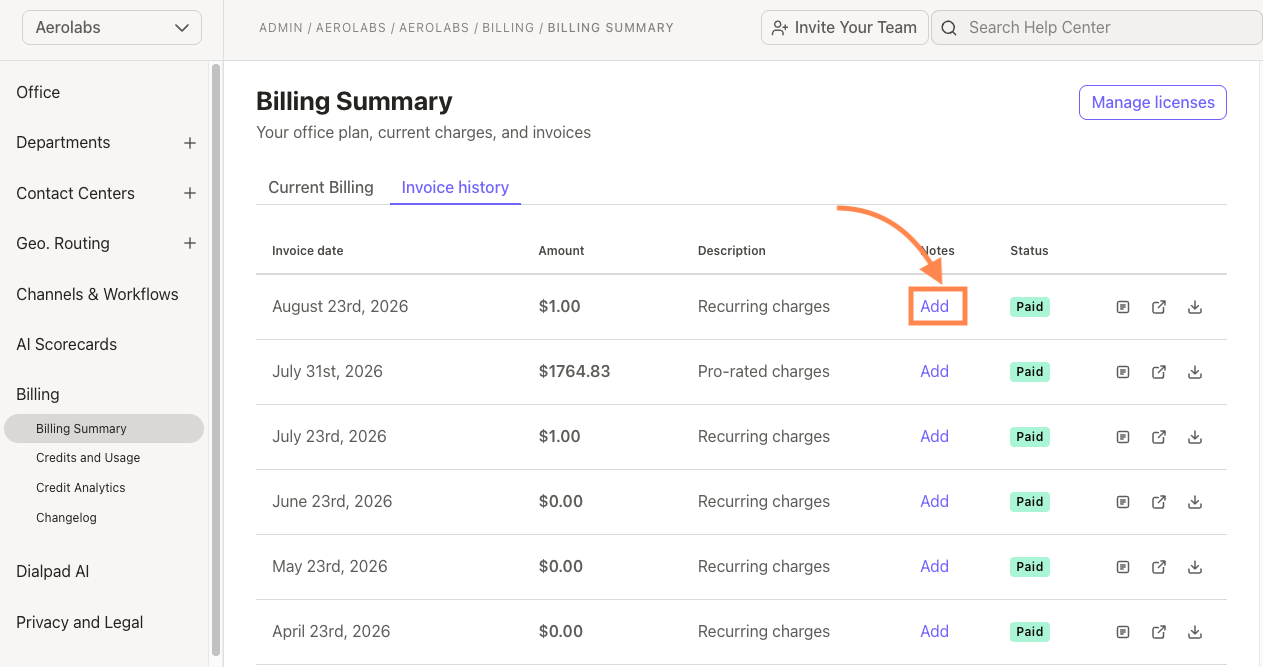
Find the invoice note tab and select Add
Enter your note
Select Save Changes
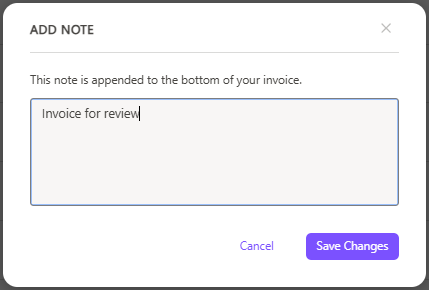
This message will now be visible at the bottom of your invoice.
Understand your charges
Your charges can include user, room, fax, local, and toll-free lines. If the number of lines changes during your billing period, you may see those changes as separate entries.
Taxes and fees appear below your account charges and are based on your company's billing address.
Update payment information
How you update your payment information depends on whether you use credit card billing or term invoicing.
Credit card billing
If you pay by credit card, you'll see the card on file under Payment mode.
To update your card, go to your Dialpad Admin Settings
Select Billing > Billing Summary
Open the Current Billing tab
-
Navigate to Payment information, then select Edit
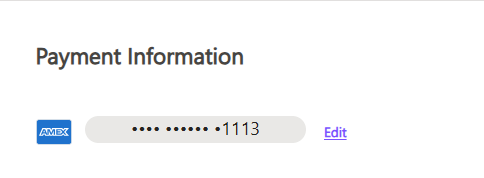
Enter your new billing information in Update Payment Information
-
Select Save changes
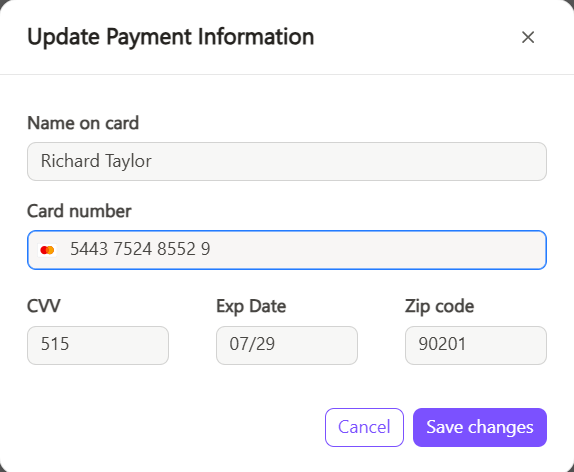
Your payment information updates within 24 hours.
Term invoice billing
Term-invoice accounts do not use a card on file in Dialpad. Instead, the Current Billing tab displays your billing contact details.
To update your billing contact, select Edit next to the contact details, make your changes, then save.
To switch from term invoicing to credit card billing or change your contract payment terms, contact your Customer Success Manager or Sales team.
Tip
If you're on a monthly plan and are interested in annual billing, contact our Customer Care to learn more.