Dialpad users can enable personal SMS auto-replies in Your Settings > Call Handling & Voicemail > SMS Auto-Reply. Choose Do Not Disturb or outside personal working hours, then enter a message up to 320 characters. Messages may split if over 160 characters.
Going on vacation? Tired of getting woken up by late-night text messages? Set an SMS auto-reply message for when you're outside of personal working hours (out-of-office) or in Do Not Disturb mode. Auto replies are also helpful if you're busy and need to inform people that you can't respond promptly.
Let's look at setting up our out-of-office responses.
Who can use this
SMS Auto-Reply messages are available for direct lines.
Enable & create personal SMS auto-reply
To set up your SMS auto-reply for your messages, head into Your Settings.
Navigate to Call Handling & Voicemail
Navigate to SMS Auto-Reply
-
Check the box beside SMS Auto-Reply
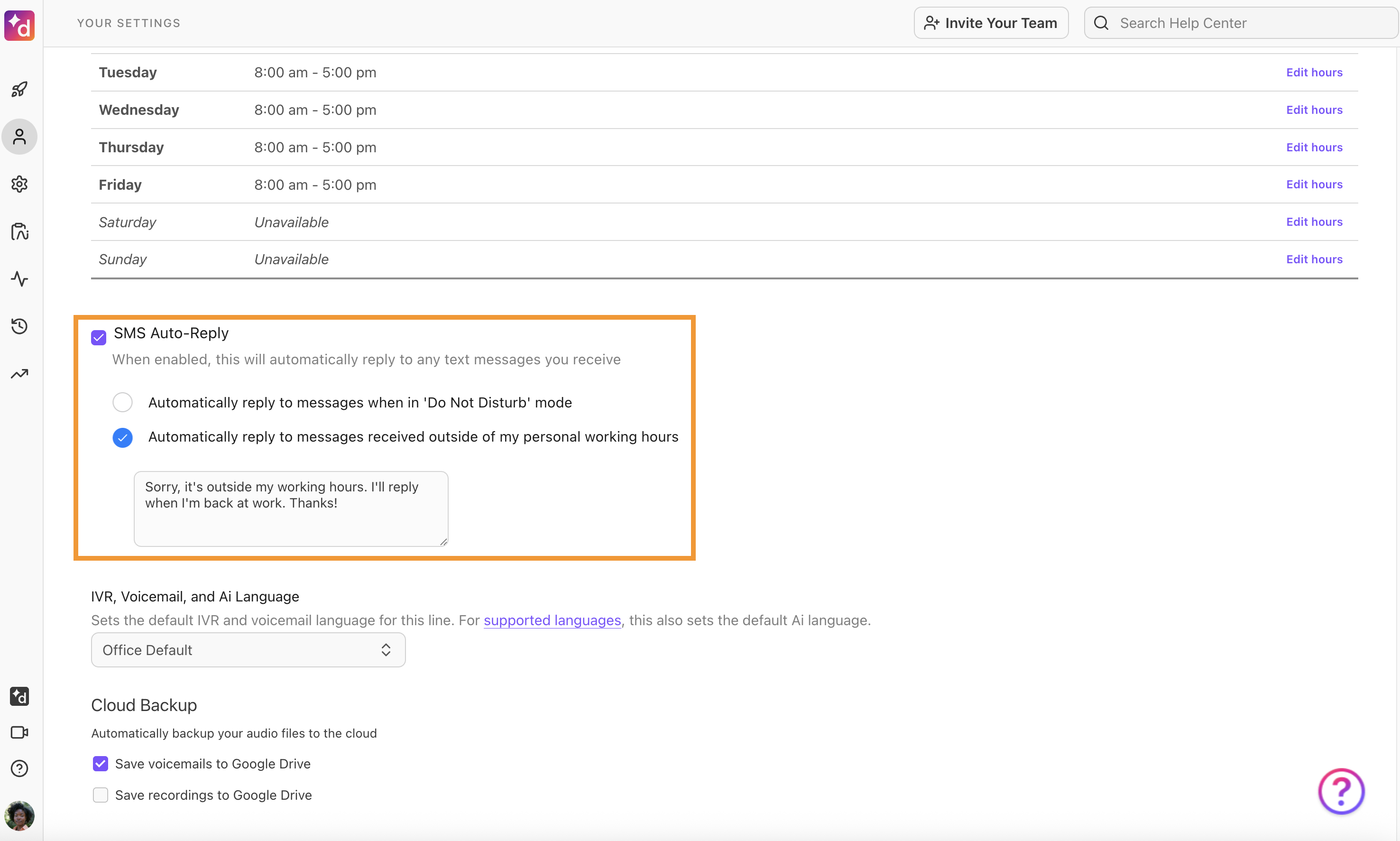
- Select Automatically reply to messages when in Do Not Disturb mode, or
- Select Automatically reply to messages received outside of my personal working hours.
Type your personalized message to send when SMS auto-reply gets activated — it cannot be any longer than 320 characters — and hit enter to save.
How an SMS Auto-Reply appears
When you have your SMS Auto-Reply enabled, Users and non-users of Dialpad will receive the SMS auto-reply message. As long as you choose whether to activate it for outside of personal working hours or in Do Not Disturb mode, the SMS auto-reply message will get sent in the regular conversation thread view.
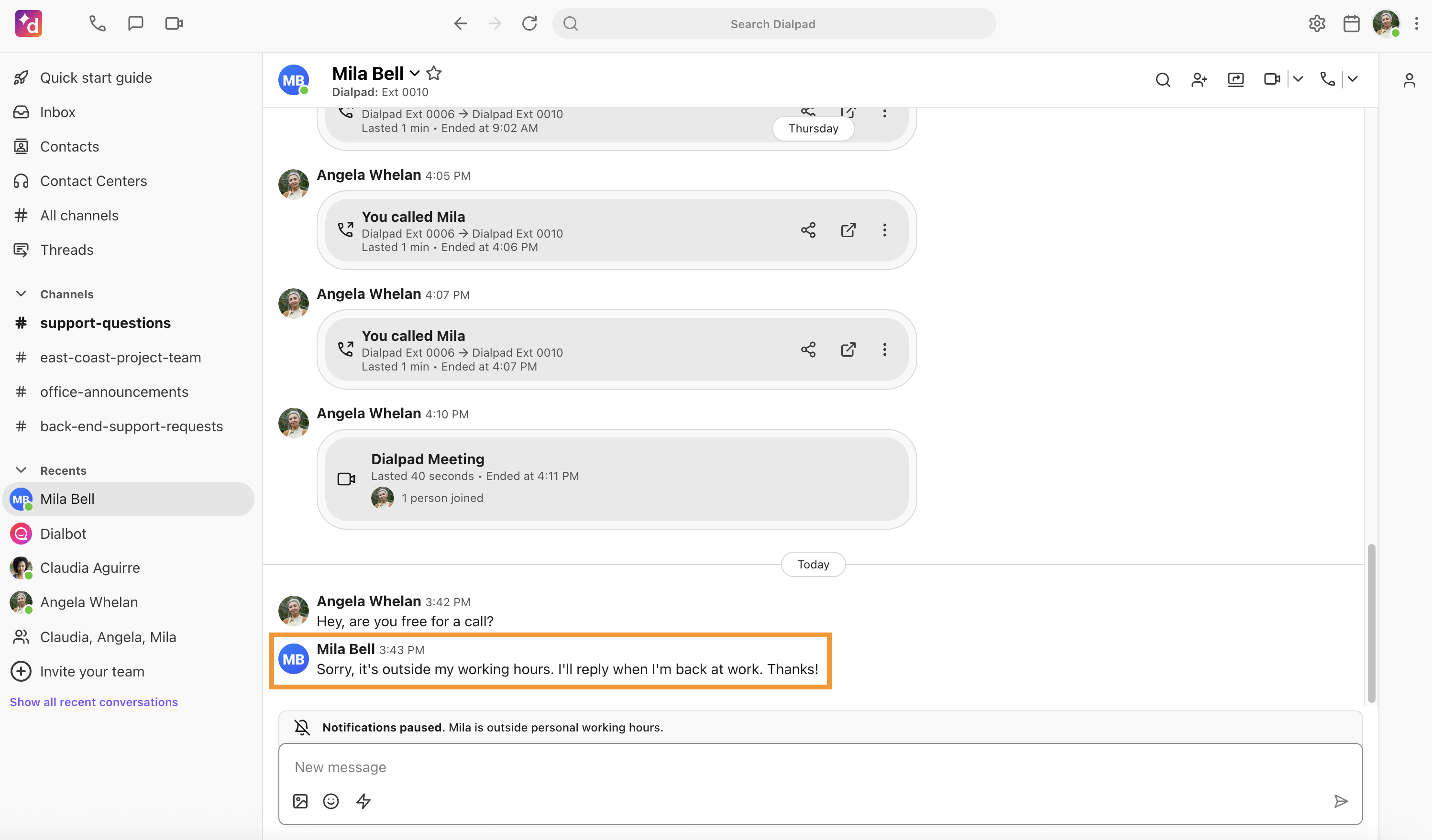
If your SMS Auto-reply is more than 160 characters in length, it may be split into two messages.