The Voicemail Lifecycle Timeline Report provides a simplified timeline view of the key milestones in a voicemail’s lifecycle. It focuses on the first assignment and the final resolution of each voicemail, highlighting the primary agents involved in handling it. Unlike detailed audit reports, this report omits intermediate reassignment events and instead captures only the first and last major milestones.
This report helps teams quickly understand how voicemails progress from receipt to resolution, who initially handled them, who resolved them, and the final outcome. It is useful for reviewing overall handling timelines, accountability, and key resolution actions without the complexity of full lifecycle tracking.
Let's get into the details of this report.
Who can use this
The Voicemail Lifecycle Timeline report is available for Dialpad users with the Dialpad BI add-on who are Company Admins or have Analytics-specific permissions.
You'll also need to be on a Dialpad Support or Dialpad Sell plan.
Default Filters
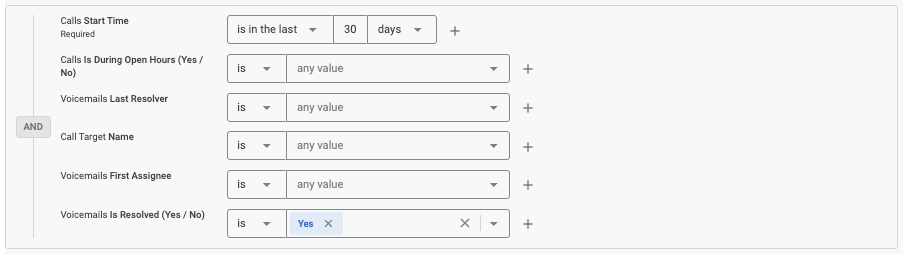
This report contains six default filters:
Calls Start Time (Required)
Calls Is During Open Hours (Yes/No)
Voicemails Last Resolver
Call Target Name
Voicemails First Assignee
Voicemails Is Resolved (Yes/No)
Visualization Type
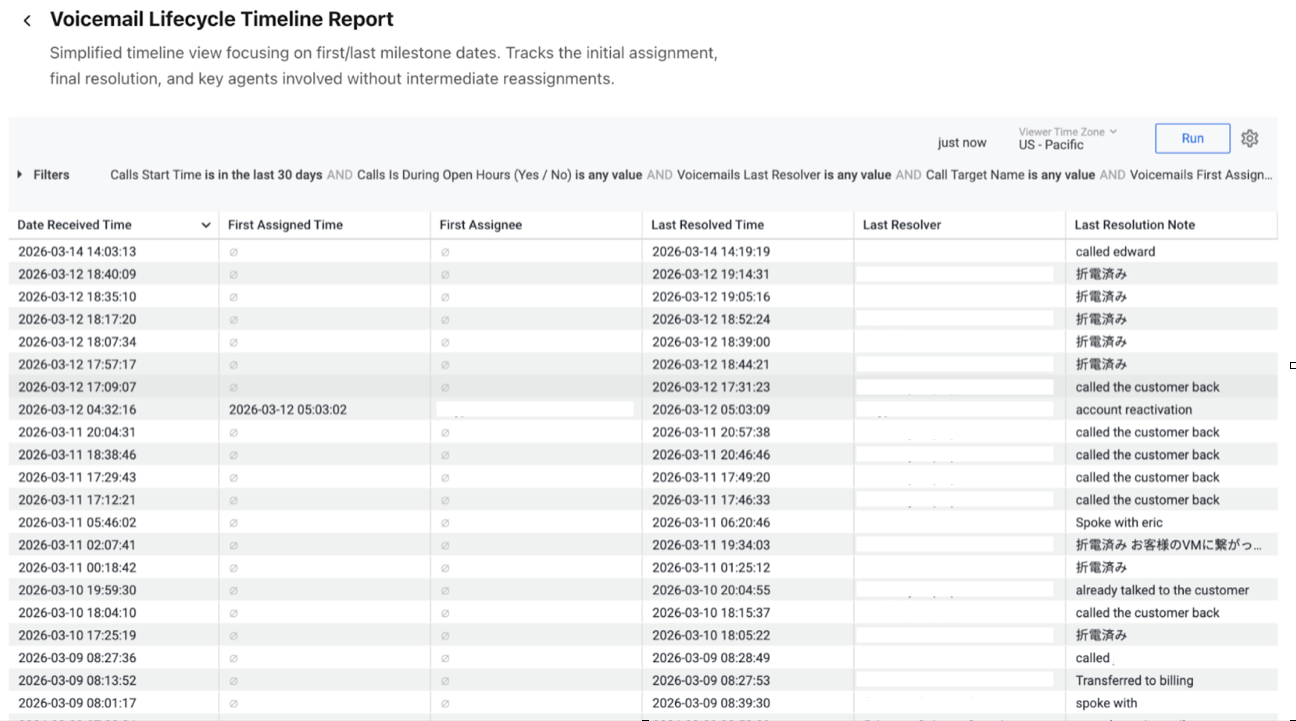
The Voicemail Lifecycle Timeline report is a templated report displayed in a table format. Each row represents an individual voicemail with key milestone timestamps and associated agents.
Select Settings (the gear icon) > Download to save your data to your computer, with multiple formatting and selection options.
Data Dictionary
This report contains unique Analytics definitions — read through the following table to learn more about the data in your report.
Date Received Time | The timestamp when the voicemail was first received by the system. This marks the starting point of the voicemail lifecycle. |
First Assigned Time | The timestamp when the voicemail was first assigned to an agent or queue for handling. This indicates the initial assignment milestone. |
First Assignee | The agent who first received the voicemail assignment. This helps identify the initial handler responsible for the voicemail. |
Last Resolved Time | The timestamp when the voicemail was finally resolved. This marks the completion of the voicemail lifecycle. |
Last Resolver | The agent who performed the final resolution of the voicemail. |
Last Resolution Note | The final note recorded during the voicemail resolution process. |
Note
For more information on BI's datasets and notable concepts, be sure to review this Help Center article.