Dialpad users can set custom statuses from their avatar, using up to 50 characters, templates, recent statuses, or timers. Statuses can be removed or deleted, and templates may enable DND. Hyperlinks in statuses are clickable.
Set a custom status to let others know what you're up to. Maybe you're on vacation, or perhaps you just want to let everyone know the task you're working on currently.
Let's take a look at how to set a custom status.
Who can use this
All Dialpad users can set a custom status.
If you're looking to set a custom status from a mobile device, visit our Help Center articles on our iOS and Android apps.
Set a custom status
To set your status from the Dialpad app:
Select your avatar (profile photo)
-
Enter your custom status into the text box
- Max 50 characters.
Press Enter to set the status
Note
Your most recent 5 custom statuses are stored for easy access.
To use one of your recent custom statuses, select the text box, then choose one of your statuses from the drop-down menu.
Status templates
Dialpad also offers a variety of pre-made status templates.
Select the drop-down menu in the Update your status box and choose one of the templated statuses.
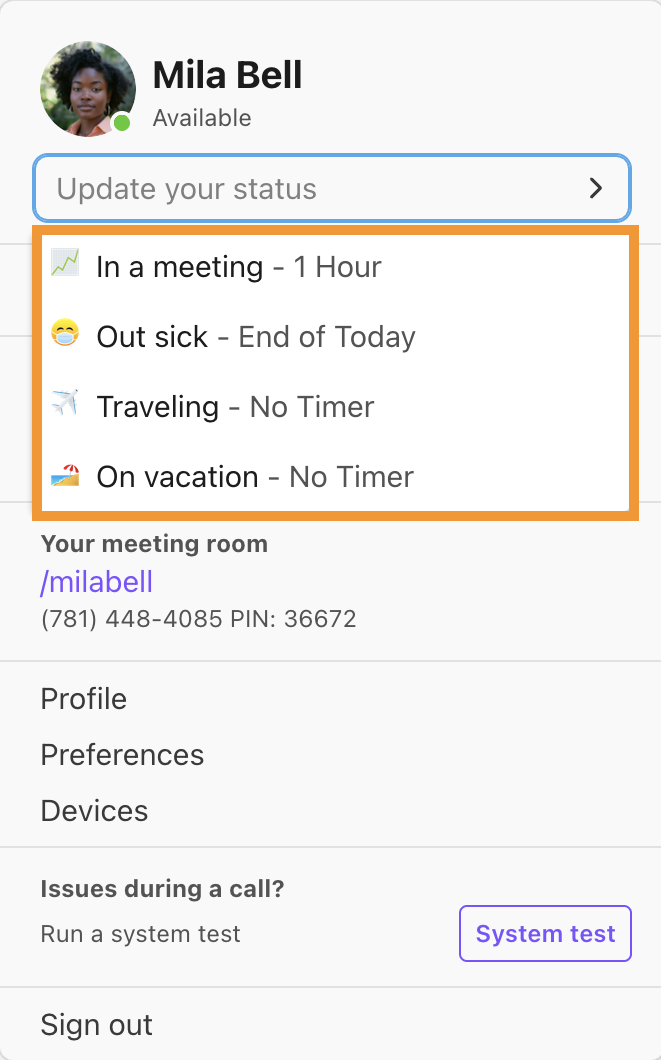
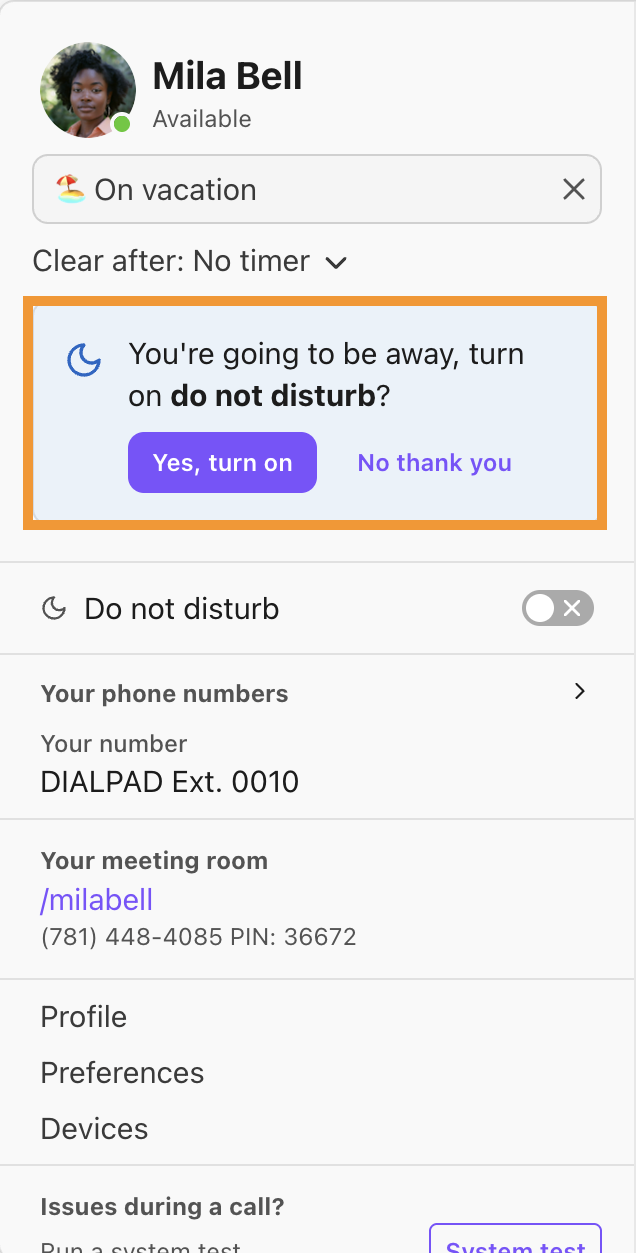
If you select Out Sick, Traveling, or On vacation, Dialpad will ask if you'd like to switch into DND mode — Select No, thank you or Yes, and turn it on depending on your preference.
Status timer
We've all been there — you set a status and then forget to remove it when you return.
Set a timer to force your custom status to disappear after a specific amount of time.
To set a status timer:
Select Clear after
-
Select the timer duration
- 30 minutes, 1 hour, 2 hours, end of day or end of the week.
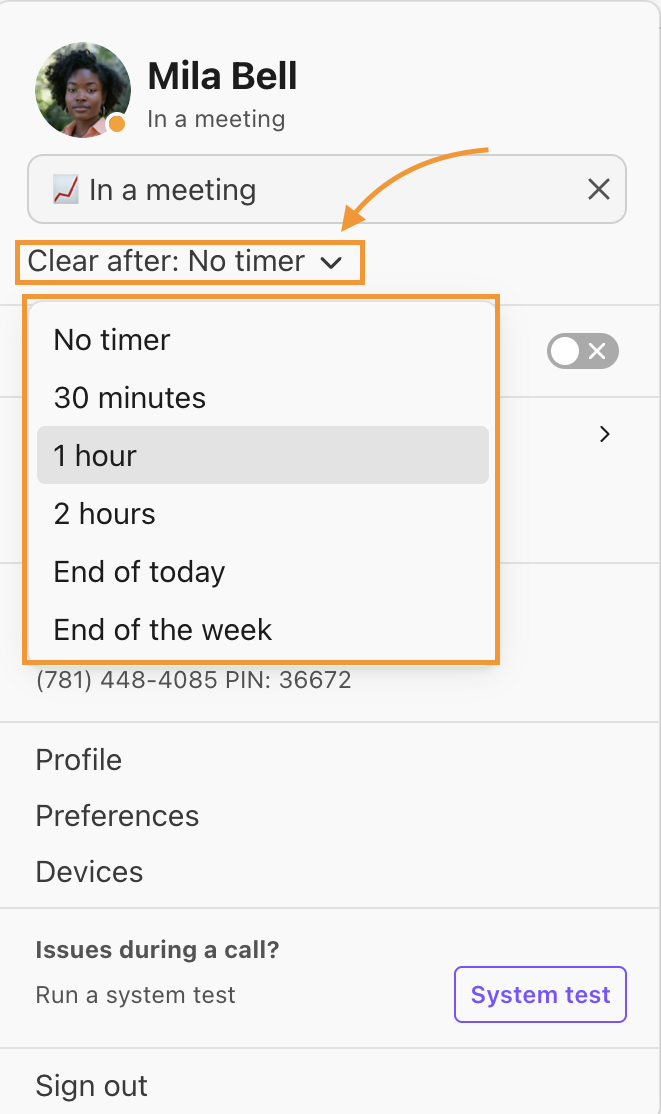
That's it! Your status will expire after the chosen time.
Note
The timer is off by default, meaning your status stays active until you change it manually.
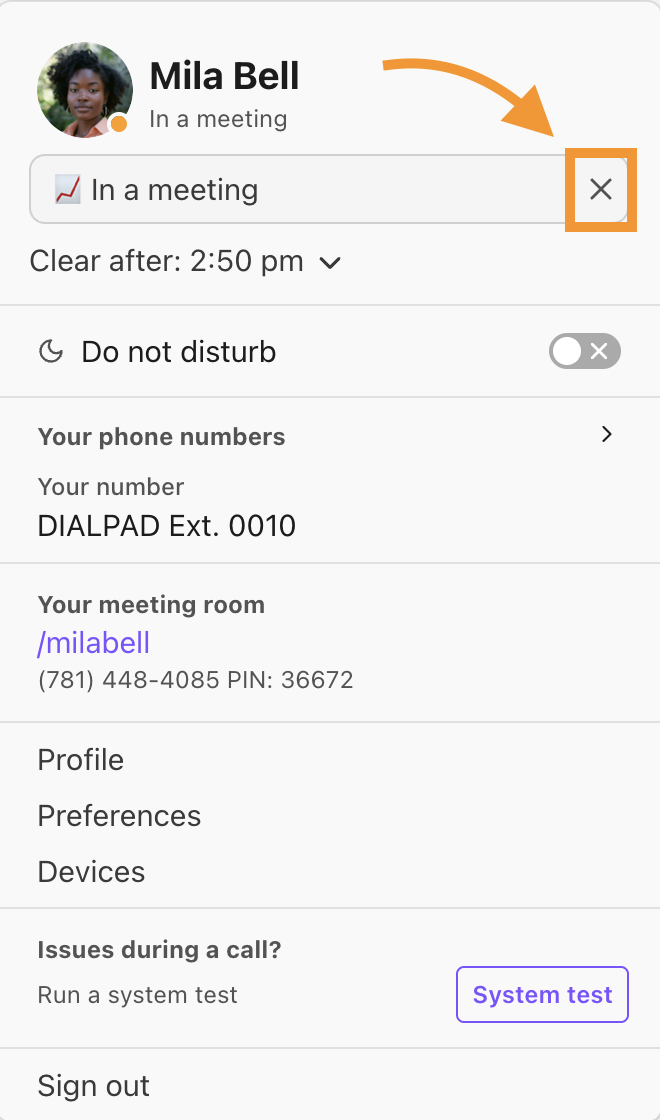
Remove a status
To remove your status, select the X icon.
Delete a status
Delete outdated custom statuses from your status listings.
To delete a custom status:
Select your avatar (profile photo)
Remove any existing status, if any
Select the custom status drop-down
Navigate to the status
Select the Trash icon
Frequently asked questions
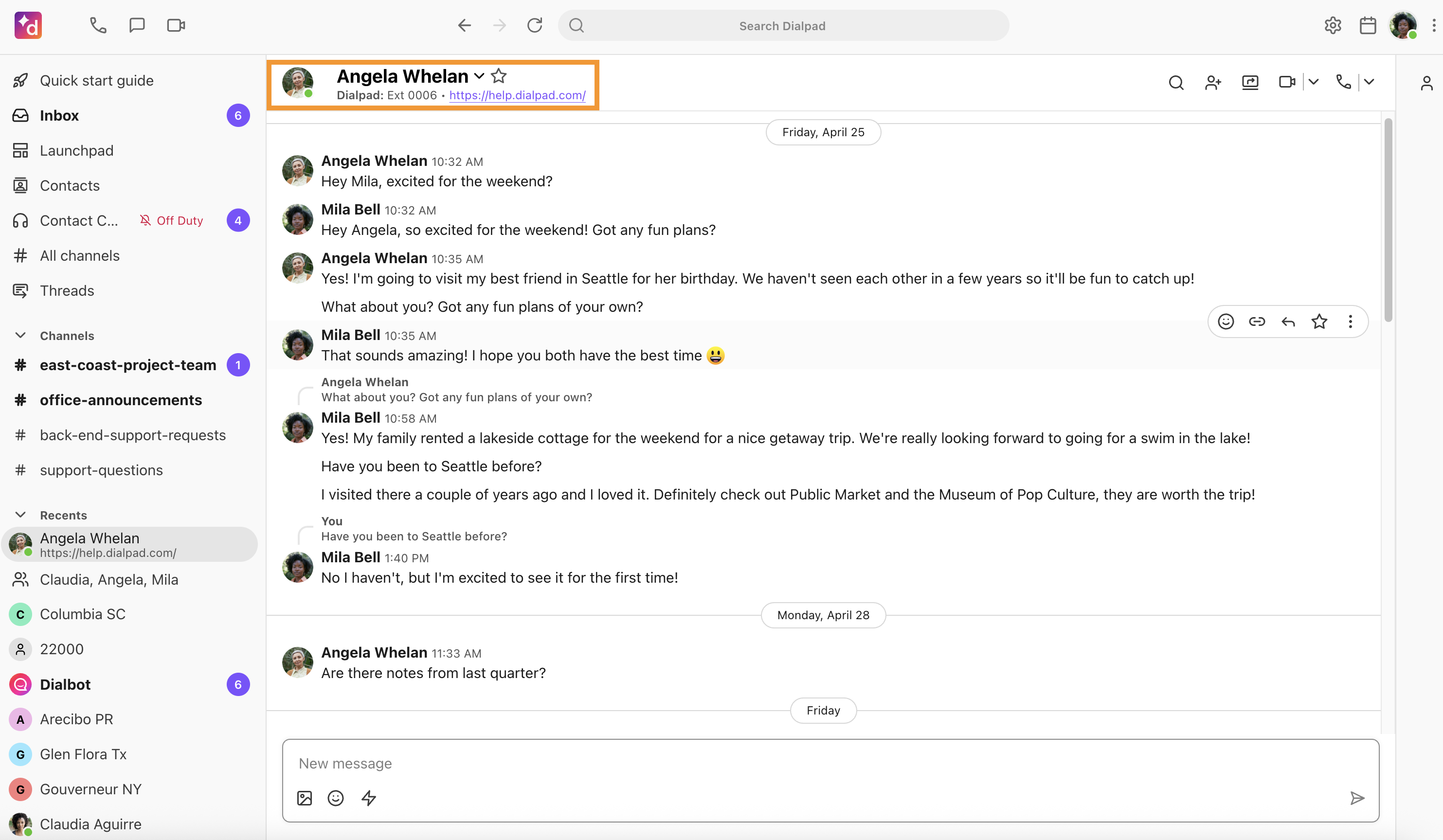
If I put a link in my status, can you click the URL?
Yes, absolutely! Hyperlinks can be clicked from the contact's profile, or the app sidebar.
Why don't my recent custom statuses appear when I click the status text box?
You must remove your current status before you can select a new status from the drop-down menu.
Select the X icon beside your status to reset the status.