Dialpad Dark Mode reduces glare and is available across web, mobile, native, and Meetings apps. Enable it through Preferences > Theme, or choose System Default for automatic switching. Themes must be configured separately for each Dialpad application.
Dark Mode is smooth and elegant, with soothing colors that reduce screen glare and provide a visually pleasing experience, especially in low-light conditions.
Easily switch between dark and light mode depending on your mood or your environment — perhaps it's a sunny day, and you prefer Dark mode to let your eyes rest, or maybe you're working late hours and want to minimize eye strain.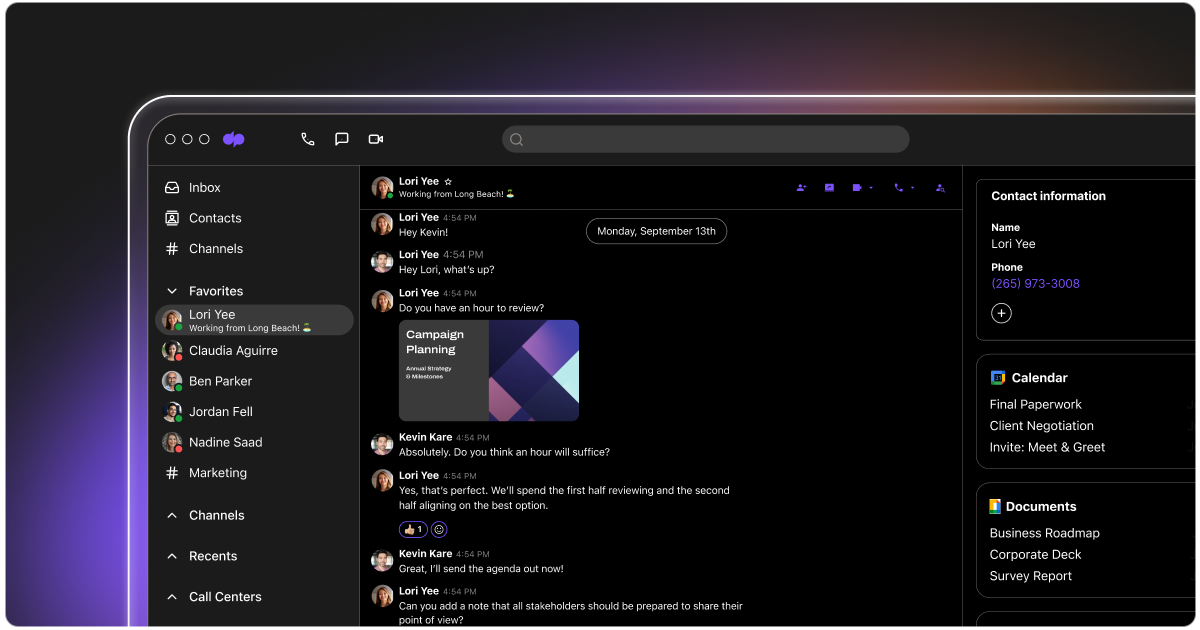
Let’s dive into the details.
Who can use this
Dark Mode is available to all Dialpad users, whether you’re using our web, mobile, or native app.
Turn on Dark Mode
We've made toggling between light and dark modes simple, so you can switch back and forth depending on your mood or external settings.
Dark Mode - web and browser app
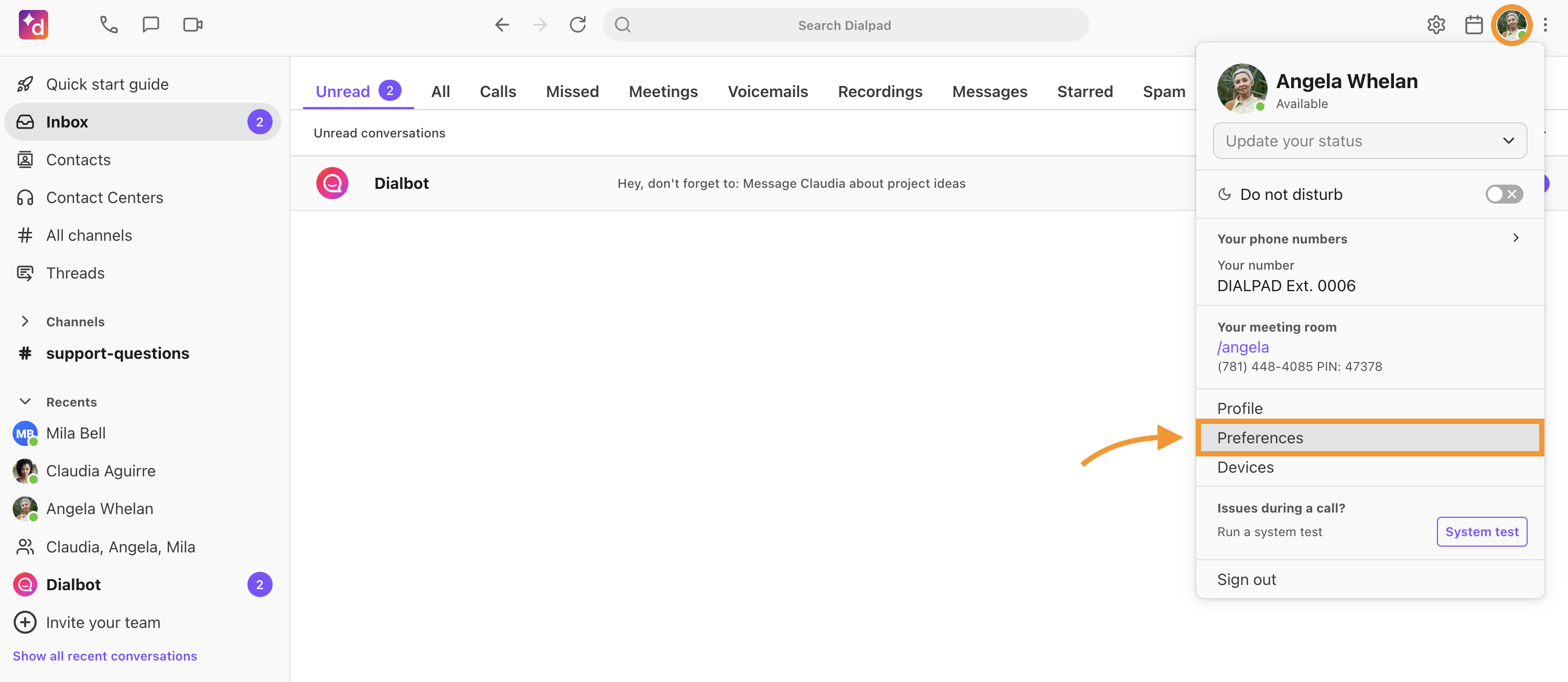
To turn on Dark Mode in the Dialpad native or browser app:
Navigate to your avatar
-
Select Preferences
Select Theme
-
Select Dark
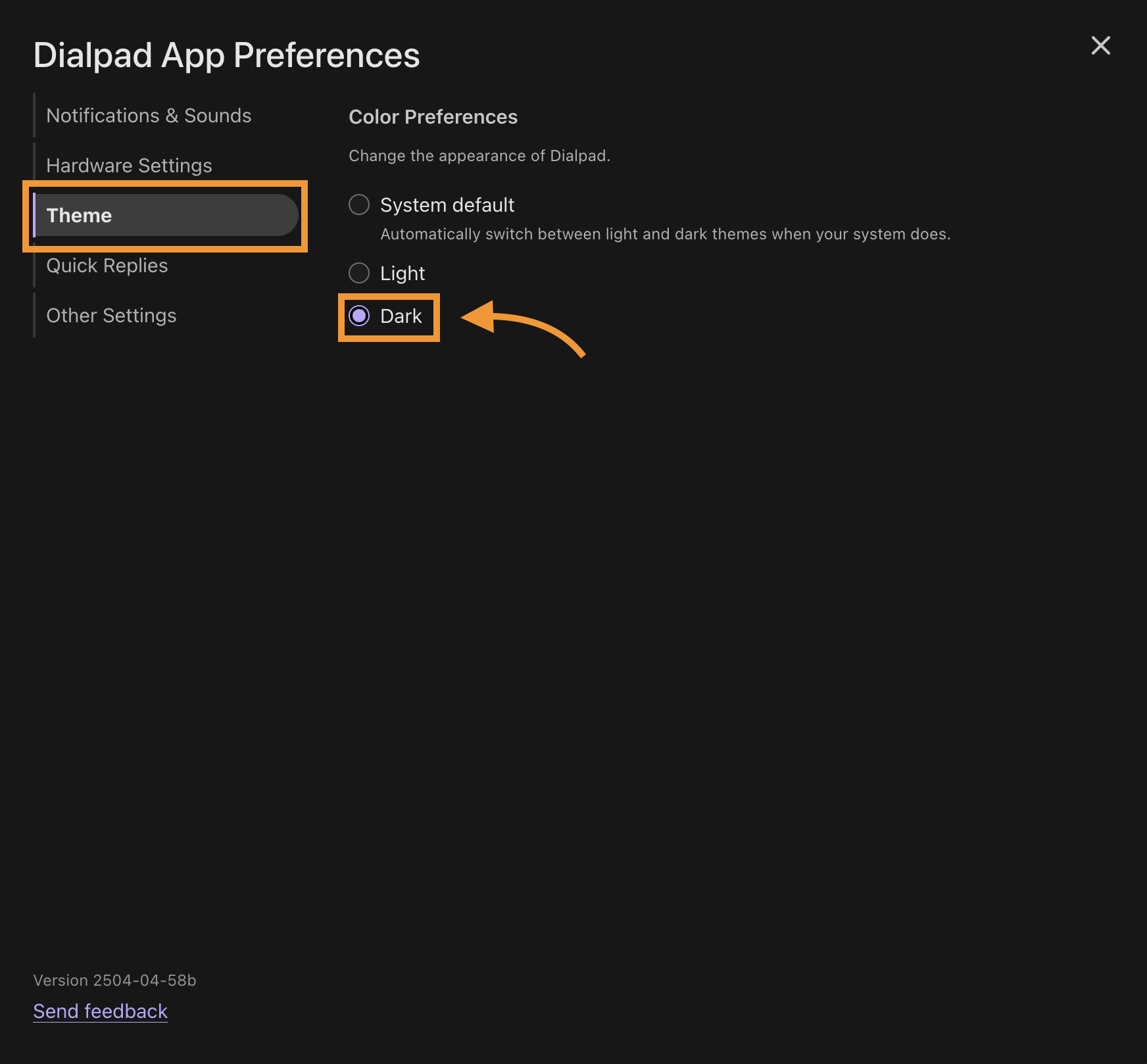
That's it! Your Dialpad app will automatically switch to Dark Mode.
Tip
If you'd like to use Light Mode during the day and Dark Mode at night, select System Default as your theme preference. Dialpad will then automatically switch between Light and Dark modes based on your device's system preferences.
Dark Mode for iOS
For details about Dark Mode on your iOS mobile device, read this Help Center article.
Dark Mode for Android
For details about Dark Mode on your Android mobile device, read this Help Center article.
Dark Mode for Dialpad Meetings
Update your Dialpad Meetings theme to dark mode in just a few clicks!
Select Menu from your Dialpad Meetings dashboard
Select Settings
-
Navigate to Theme
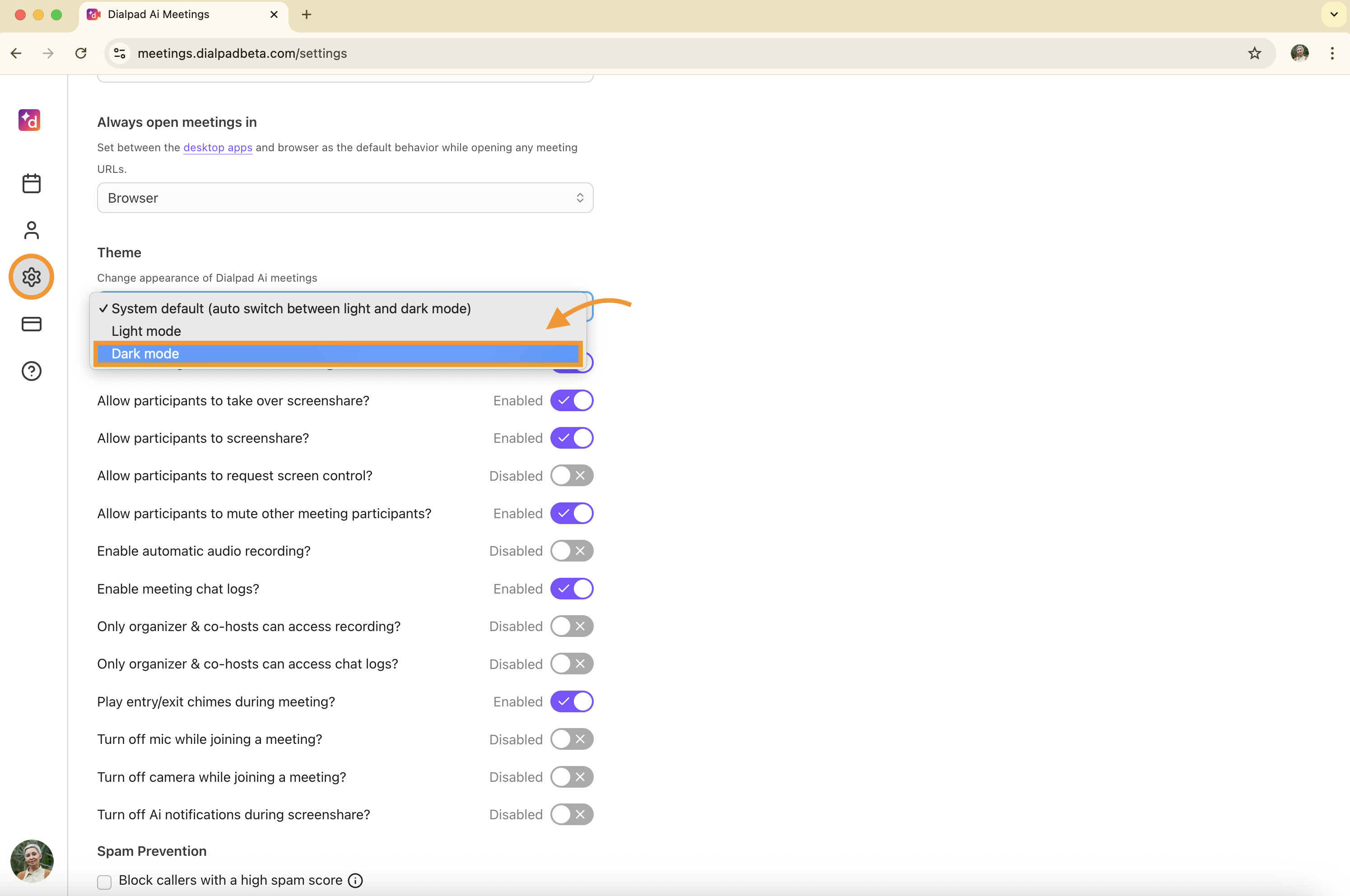
Select Dark mode
Frequently asked questions
I set my browser app to Dark Mode, why didn't my Dialpad Meetings settings change too?
Dark Mode settings do not sync across all Dialpad applications; you'll need to individually set the theme for each app (mobile, web app, meetings, etc).